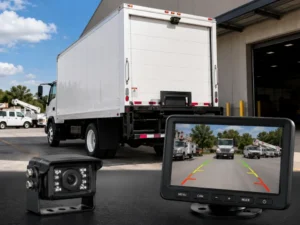
Most drivers rely on backup cameras for enhanced safety and convenience, yet many face common failures that can compromise their effectiveness. Understanding these potential pitfalls is imperative for ensuring your camera functions properly. This guide will help you identify these issues and provide you with strategies to avoid them, enhancing your driving experience and keeping you safe on the road.
Understanding Common Backup Camera Failures
Backup cameras enhance safety and convenience, but various issues can impair their performance. Understanding these common failures allows you to take proactive measures. Problems often arise from hardware malfunctions or software glitches, each presenting unique challenges. Identifying these issues early helps maintain your camera’s functionality and avoid potential accidents.
Hardware Issues
Your backup camera might experience hardware failures due to physical damage, corrosion, or poor installation. Commonly, the lens can become obstructed by dirt, snow, or debris, significantly affecting visibility. Additionally, wiring issues or a faulty power supply can lead to complete camera failure, leaving you without a reliable safety feature.
Software Glitches
Software glitches can cause your backup camera to malfunction intermittently, displaying distorted images or lag within the feed. These issues might stem from outdated firmware or incompatible software updates, disrupting its intended functionality.
In many cases, you can resolve software glitches by updating your camera’s firmware or performing a system reset. Regularly checking for updates ensures that you benefit from the latest improvements and bug fixes. If problems persist, you may need to consult your vehicle’s service manual or contact the manufacturer for expert assistance, as specific models can have unique solutions.

How to Diagnose Backup Camera Problems
Diagnosing backup camera problems requires a systematic approach to identify issues quickly and efficiently. Start by checking the camera’s power source, inspecting the wiring for damages, and observing the screen for display errors. Use a process of elimination to narrow down potential failures, ensuring that both hardware and software aspects are examined thoroughly.
Visual Inspection Tips
Begin with a detailed visual inspection of your backup camera system. Look for any physical damage to the camera lens, cables, or mounting bracket. Ensure that the lens is clean and free of obstructions, which can affect visibility. Check for loose connections and ensure all components are properly secured. Addressing these issues first can save you time and prevent further complications. Assume that you may need professional help if you notice any significant or unresolvable issues.
Testing for Software Errors
Software errors can often lead to malfunctioning backup camera systems. Start by inspecting the settings in the vehicle’s infotainment system, ensuring that the camera feature is enabled. A reset of the system may resolve minor glitches, while software updates can also be critical for optimal function. If the camera display remains unresponsive, it may indicate deeper issues requiring specialized diagnostic tools.
To effectively test for software errors, verify that your vehicle’s infotainment system is running the latest software version. Manufacturers frequently release updates to enhance functionality and fix bugs. Check your owner’s manual or the manufacturer’s website for instructions on how to update. If problems persist, you may consider vehicle diagnostics that examine both software and hardware interactions, potentially identifying issues that aren’t apparent through a basic review.
Factors Contributing to Backup Camera Failures
Several factors can lead to the failure of your backup camera, making it crucial to be aware of them. Common issues include dirt or moisture obstructing the lens, faulty wiring, and outdated software. Regular maintenance and timely repairs can help mitigate these risks. For more insights, you can read about Why Does My Backup Camera Only Work Sometimes?. Recognizing these factors early can save you time and frustration.
Environmental Challenges
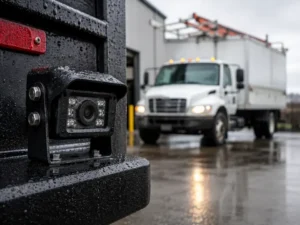
Environmental challenges significantly affect the performance of backup cameras. Exposure to extreme temperatures can lead to malfunctioning components. Rain, snow, and other weather conditions may obscure the camera’s view, compromising its effectiveness. Additionally, road debris can damage the lens, leading to poor visibility. Taking proactive measures, such as regularly cleaning the camera and protecting it from harsh elements, can prevent these issues.
Installation Errors
Improper installation is a common cause of backup camera failures. If the camera is not fitted correctly or if the wiring is incorrectly connected, you may experience issues such as distorted images or a complete lack of functionality. Ensuring that the backup camera is aligned properly and that all connections are secure is crucial for optimal performance.
When addressing installation errors, it’s important to consult your vehicle’s manual and follow manufacturer guidelines closely. This includes ensuring that connection points are free of corrosion and using the right connectors and mounting brackets. Regularly checking these components can avoid potential pitfalls, such as loose connections or misalignment that could interfere with the camera’s operation.
How to Prevent Backup Camera Failures
To ensure your backup camera remains functional and reliable, adopting preventive measures is crucial. Regular inspections and prompt addressing of any identified issues can significantly extend the lifespan of the system. Make it a habit to keep an eye on the lens cleanliness and the wiring integrity. These small actions can help avoid larger problems down the road.
Regular Maintenance Tips
Conducting routine checks can prevent backup camera failures. Focus on the following tasks:
- Clean the lens regularly to avoid obstructions.
- Inspect wiring for signs of wear or damage.
- Check the display for any lag or distortion.
- Test functionality frequently to ensure reliable operation.
Perceiving these maintenance tips as part of your vehicle care can diminish issues over time.
Best Practices for Installation
Proper installation of your backup camera is vital for its performance. When installing a backup camera, ensure that you mount it securely and at the right height for optimal visibility. Avoid obstructions that could impair the viewing angle and use high-quality connectors to prevent signal loss. Following manufacturer guidelines and seeking professional assistance if needed can provide the best results.
Improper installation is a common cause of backup camera issues. When placing your camera, angle it accordingly to achieve a clear and accurate view of your surroundings. Utilizing a solid mounting surface minimizes vibrations that can disrupt functionality. Pay attention to the cable routing; keep wires away from sharp edges and moving parts to prevent cuts or frays. Investing time in proper installation can offer years of dependable service.
Troubleshooting Backup Camera Issues
When backup camera issues arise, troubleshooting effectively can save time and prevent further complications. You can often identify the problem by checking both hardware and software components, ensuring connections are secure and settings are appropriate. Systematic examination allows for timely repairs and greater vehicle safety.
Step-by-Step Guide
| 1. Check the Camera Lens | Ensure it’s clean and free from obstructions. |
| 2. Inspect Wiring | Look for loose connections or damaged wires. |
| 3. Verify Settings | Access your vehicle’s display settings. |
| 4. Reboot the System | Restart the vehicle or the camera system. |
| 5. Test Alternate Displays | Use another display if available to isolate the issue. |
When to Seek Professional Help
If you’re unable to resolve the backup camera issues after troubleshooting, it’s advisable to seek professional assistance. Persistent problems, such as persistent black screens or significant wiring damage, often require expert intervention to avoid further damage and ensure safety.
Specific symptoms like distorted images or continuous error messages can indicate underlying electrical or hardware failures that may be complex to fix without expertise. Additionally, any signs of corrosion or damage to the wiring should prompt you to consult a professional, as improper repairs can lead to more severe safety hazards. It’s better to address these concerns promptly, ensuring your backup camera functions optimally, protecting you and others on the road.
Tips for Choosing the Right Backup Camera
Selecting the best backup camera for your vehicle enhances safety and convenience. Key considerations include image quality, viewing angle, and ease of installation. Assess whether you need additional features like night vision and guidelines for parking assistance. Research products with solid customer reviews and warranty options. This will help ensure you make a well-informed choice.
Key Features to Consider
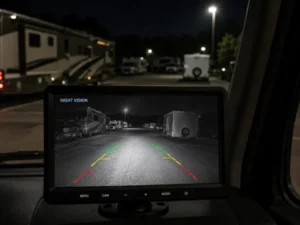
Focusing on necessary features can significantly impact your backup camera experience. Look for models offering wide viewing angles, high resolution, and night vision capabilities. Additionally, consider weatherproofing, wired vs. wireless options, and integration with infotainment systems. This will help enhance usability and durability over time.
- Wide viewing angles
- High resolution
- Night vision
- Weatherproofing
- Wired vs. wireless options
- Integration with infotainment systems
Avoiding Poor Quality Products
Choosing low-quality backup cameras can lead to frustrating experiences and increased risk on the road. Investigate brands with a solid reputation and avoid ultra-cheap options that compromise on features. Look for models made from durable materials, as these can withstand varying weather conditions. Always check for customer ratings and warranty policies, as reputable manufacturers will stand behind their products. This reduces the likelihood of encountering unreliable performance and enhances overall satisfaction.
Final Words
On the whole, understanding common backup camera failures empowers you to take proactive measures in maintaining your system. Regularly check your camera for dirt and obstructions, ensure connections are secure, and update software when necessary. Pay attention to warning signs, such as distorted images or inconsistent functionality, and troubleshoot promptly. By staying vigilant with these practices, you enhance both the reliability of your backup camera and your overall safety while reversing your vehicle.