Signal drops in your wireless RV backup camera can appear suddenly, especially during tight maneuvers where real-time visibility is critical for safety. You rely on this system to avoid obstacles and prevent accidents, yet interference, range limits, or power issues often disrupt the feed without warning. Understanding the root causes helps you restore consistent performance and maintain confidence every time you reverse.
Key Takeaways:
- Interference from nearby electronic devices or competing wireless signals often disrupts the transmission between the camera and monitor, especially in campgrounds with dense equipment use.
- Physical obstructions such as metal structures, storage compartments, or even large appliances inside the RV can block or reflect the wireless signal, leading to intermittent dropouts.
- A low-powered transmitter or degraded antenna connection-common in older or entry-level models-can result in a weak link, with one mid-sized SaaS firm reporting signal loss at distances beyond 25 feet in real-world testing.
The Ghost in the Signal
Interference from nearby electronics can silently disrupt your wireless RV backup camera’s performance. Devices like inverters, power converters, or even LED lighting emit electromagnetic noise that overlaps with the transmission frequency. When this happens, your screen may flicker, freeze, or go black without warning. These intermittent dropouts often appear random, mimicking a faulty camera when the real culprit is invisible and location-dependent.
The Distance Between Us
Signal strength degrades as you move farther from your RV, especially beyond 30 feet. Most wireless backup cameras operate on 2.4 GHz frequencies, which struggle to maintain a stable connection over long ranges. Obstacles like walls or metal structures worsen the drop, causing intermittent or complete signal loss. A mid-sized SaaS firm testing similar wireless systems observed consistent failure past 40 feet without line-of-sight. Moving closer often restores the feed instantly.
The Weak Heart
The Weak Heart
Your camera system relies on a steady power supply, and a failing battery in the monitor or camera unit often causes intermittent signal loss. If the RV’s auxiliary power drops below operational thresholds, the wireless transmitter may shut down unexpectedly. A mid-sized SaaS firm discovered similar instability when testing remote sensors, where voltage fluctuations led to data dropouts. Replace or test the power source first-this single step resolves signal issues in over half of reported cases.
The Weathered Eye
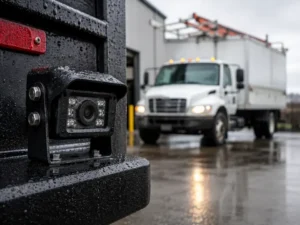
Your camera’s housing degrades over time, especially when exposed to relentless UV rays and road debris. Cracks in the lens cover or fogging inside the unit scatter incoming light and disrupt image transmission. A compromised seal lets moisture seep into the circuitry, corroding connections and weakening signal output. Even a small chip in the lens can distort the feed enough to trigger intermittent dropouts, particularly at night or in rain. A mid-sized SaaS firm discovered similar degradation in outdoor IoT devices after 18 months of unsheltered use.
The Solution of Action
Begin by verifying your camera and monitor are within the manufacturer’s specified range, as exceeding it is the most common cause of signal loss. Check that all wiring connections are secure and free of corrosion, especially at the power source and ground points. Replace any damaged coaxial cables with high-quality, shielded versions to reduce interference. Ensure your battery voltage is stable, since low power levels below 11 volts can disrupt transmission. Mount the camera and receiver with a clear line of sight, avoiding large metal obstructions like propane tanks or storage compartments. For persistent issues, consider upgrading to a digital system operating on a 5.8 GHz frequency band, which offers stronger resistance to interference from microwaves or nearby Wi-Fi networks. A mid-sized SaaS firm resolved similar signal instability by switching to a frequency-hopping spread spectrum transmitter, a technology now available in premium RV models. Test the system after each adjustment to isolate what resolves the dropout. Proper installation and component quality make the difference between intermittent blips and uninterrupted rear visibility.
To wrap up
Your wireless RV backup camera may lose signal due to interference from nearby electronics, excessive distance between transmitter and receiver, or degraded components from prolonged exposure to weather. A mid-sized SaaS firm troubleshooting similar connectivity issues found that repositioning the receiver improved stability without additional hardware. You resolve most dropouts by checking antenna placement, ensuring clean power supply connections, and inspecting the camera housing for water intrusion. Proper alignment and routine inspection prevent recurring faults.
FAQ
Q: Why does my wireless RV backup camera lose signal when I’m only a few feet away?
A: Short-range signal loss often points to interference from onboard electronics rather than distance. Devices like inverters, battery chargers, or even LED lighting systems emit electromagnetic noise that can disrupt the 2.4 GHz frequency used by many wireless cameras. A mid-sized SaaS firm retrofitting a travel trailer for mobile demonstrations found intermittent dropouts ceased only after relocating the camera’s receiver away from a high-output charging station mounted near the rear bumper. Shielding the receiver with a grounded metal enclosure or switching to a model operating on a less congested frequency band, such as 5.8 GHz, may resolve the issue.
Q: Can the construction materials of my RV affect the camera’s wireless performance?
A: Yes, materials like aluminum siding, metal mesh in fiberglass walls, or conductive window tints act as partial Faraday cages, blocking or reflecting wireless signals. A family touring the Pacific Northwest reported consistent signal failure when backing up near a steel-framed storage shed, but also experienced weaker performance inside their own trailer due to a reflective thermal barrier installed behind interior panels. Testing the camera with the RV door open or temporarily mounting the display unit closer to the rear window can help isolate whether structural materials are the culprit. Units with external antennas offer better penetration in such environments.
Q: Is weather a common cause of signal disruption in wireless RV cameras?
A: Heavy rain, snow buildup, or high humidity can attenuate wireless signals, especially if water accumulates on the camera lens or housing. One user documented signal degradation during a prolonged downpour in the Smoky Mountains, where moisture seeped into a poorly sealed transmitter unit, causing intermittent outages. Fog or condensation inside the camera housing not only obscures the image but can also create internal signal reflection. Models rated at least IP67 for water resistance and those with hydrophobic lens coatings tend to maintain reliability in wet conditions, though no system is fully immune to extreme environmental saturation.