It’s frustrating when your backup camera screen goes black just as you’re reversing, leaving you without a critical safety view. A non-functional display can compromise visibility and increase collision risk, especially in low-light or crowded areas. You’re not alone-many drivers face this issue, often due to simple, fixable problems like dirt, wiring faults, or power failures. This guide walks you through the most common causes and precise steps to restore your camera feed.
Key Takeaways:
- A black backup camera screen often stems from simple physical issues, such as a lens obscured by dirt, mud, or ice, particularly after driving in adverse weather or on unpaved roads. Cleaning the lens with a microfiber cloth and mild cleaner can restore the image immediately in many cases.
- Electrical faults, including a severed video cable between the camera and display unit, commonly interrupt signal transmission. This is especially prevalent in vehicles where the trunk or tailgate is frequently opened, stressing the wiring harness near the hinge points over time.
- Internal component failure, such as a blown fuse in the camera’s power circuit or a malfunctioning display monitor, can also result in a blank screen. Checking the vehicle’s fuse box for a damaged fuse labeled for the rear camera or reverse lights may identify the source without requiring professional diagnostics.
The Dirty Lens
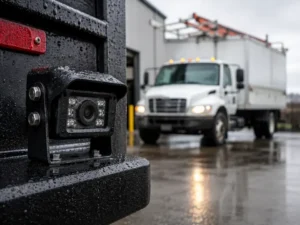
Grime, mud, or water spots on your backup camera lens often cause a black screen, especially after driving in poor weather or on unpaved roads. You might notice the image clears partially when the vehicle moves, suggesting debris is shifting. Cleaning the lens with a microfiber cloth and mild cleaner can restore visibility instantly, making this the quickest and most cost-effective fix. Never use abrasive materials, as they can scratch the lens and worsen the issue over time.
The Blown Fuse
If your backup camera screen remains black despite checking the lens and wiring, a blown fuse may be the culprit. Fuses protect the electrical circuit powering the camera, and a sudden power surge or short can cause one to fail. Locate your vehicle’s fuse box-often in the dashboard or under the hood-and identify the fuse linked to the rear camera system. A visibly broken filament inside the fuse confirms the issue. Replacing it with a fuse of the same amperage rating often restores function. Never substitute a higher-rated fuse, as this risks damaging the wiring or camera. Some vehicles integrate the backup camera into the radio or display fuse, so consult your owner’s manual for accurate fuse placement. A recurring blown fuse signals an underlying electrical fault requiring professional diagnosis.
The Digital Error
Software Glitches Can Disable Functionality
Corrupted firmware updates may interrupt signal transmission between the camera and display, causing a black screen despite proper power and connections. A mid-sized SaaS firm managing fleet vehicles reported intermittent backup camera failures tied to recent software patches. Resetting the vehicle’s infotainment system often restores functionality by clearing temporary errors. Some models require a full system reboot through the settings menu or battery disconnect. In certain cases, manufacturer-specific diagnostic tools are needed to reflash the camera module firmware and restore stable operation.

The Broken Monitor
If your backup camera displays a black screen despite power and signal, the monitor itself may be faulty. Internal damage, burnout, or manufacturing defects can disable the display even when the camera and wiring function correctly. A complete screen failure with no flicker or backlight glow often confirms this issue. Replacing the monitor with a compatible unit typically restores full visibility.
Final words
You now have a clear path to diagnosing a black backup camera screen, from checking the simplest cause-a dirty lens or loose connection-to identifying deeper issues like a blown fuse or failed monitor. A systematic approach saves time and avoids unnecessary repairs. For many drivers, cleaning the lens or resetting the system resolves the problem immediately, while others may need to trace wiring or replace a component. You are equipped to make that determination confidently.
FAQ
Q: Why is my backup camera screen completely black when I shift into reverse?
A: A black screen when shifting into reverse often points to a power or signal disruption. Common culprits include a blown fuse, damaged wiring between the camera and display, or a malfunctioning camera unit. In some vehicles, the backup camera feed is routed through the radio or infotainment system, so a software glitch in that module can also prevent the image from loading. A technician can verify power at the camera using a multimeter and check for continuity in the wiring harness.
Q: Can a dirty camera lens cause the screen to go black?
A: A dirty lens won’t typically make the screen go black but can result in a completely obscured or unusable image. Thick mud, ice, or road grime can block the camera’s view entirely, making it appear as though the system has failed. Wiping the lens with a microfiber cloth and isopropyl alcohol often restores visibility. Some luxury SUVs include built-in lens wipers or hydrophobic coatings to reduce buildup, but most standard vehicles require manual cleaning after off-road use or winter driving.
Q: How do I check if a blown fuse is responsible for the black screen?
A: Locate the vehicle’s primary fuse box, usually under the dashboard or in the engine compartment, and refer to the owner’s manual for the fuse labeled “backup camera,” “reverse light,” or “infotainment.” A 10- or 15-amp fuse is typical for these circuits. Use a fuse puller or small pliers to remove it and inspect the metal strip inside. If the strip is broken or blackened, replace it with an identical amperage fuse. If the new fuse blows immediately, there may be a short circuit in the wiring or camera assembly.
Q: Could a software update fix a black backup camera screen?
A: Yes, certain vehicles have experienced backup camera failures after a software update introduced a display bug. A mid-sized SaaS firm specializing in automotive diagnostics reported cases where a corrupted firmware file in the head unit prevented video input from rendering. Dealerships or authorized repair centers can reflash the infotainment system with updated firmware, restoring camera functionality without replacing hardware. This fix is common in newer models with over-the-air update capabilities.
Q: Is it possible the monitor itself is faulty even if other display functions work?
A: Yes, the monitor can fail partially. Even if the radio, GPS, or menu screens operate normally, the video input circuit dedicated to the backup camera may be damaged. Some Chrysler 300 models from the early 2010s exhibited this issue due to capacitor degradation on the display board. A technician can test the camera signal using a portable monitor or video tester to confirm whether the problem lies in the source or the display. Replacement of the entire head unit may be necessary if internal circuitry is compromised.